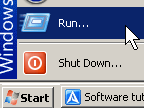
To use the run box, you first need to open it by clicking the start button then clicking the button called run
Press start then run
 You can also access it from your keyboard by pressing the Windows Key (The key with the windows flag cut into 4 wavy pieces) and pressing R at the same time.
Now that you have run started you can use it to start programs like paint, calculator, etc.
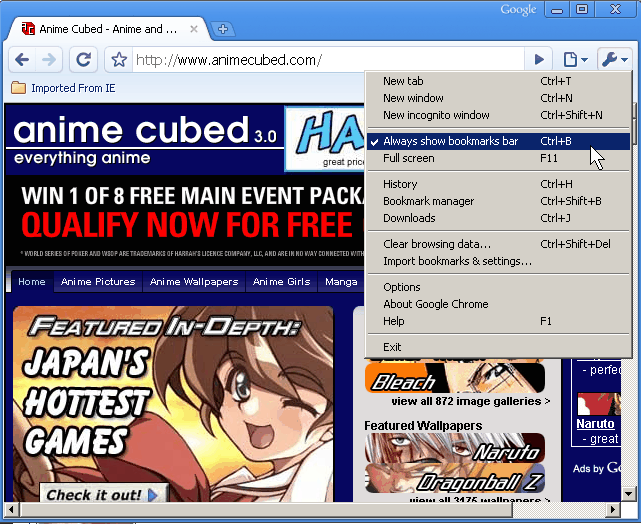
Click on the Wrench Button on the upper right and Click on “Always Show Bookmark bar”.  You are done, Now Google Chrome will always show the bookmark toolbar.
In newer versions of Google Chrome. “Always show Bookmark’ is found in the Tools sub menu.
I upgraded my Power Supply on my Computer to a Cooler Master 460W Power Supply since the previous power supply on my PC looked kind of fishy since it is made by Bestec which seem to fail a lot on emachines according to a lot of people online and was a 250W PSU with 20 pins plug into a 24pin Mobo connecter.
I love my new Cooler Master Power Supply. It is quiet, uses less power because it is more efficient, and I have not have one power supply over heating or power related problem with my PC for a few month since replacing my old PSU.
You can learn how to replace a power supply by watching some videos online on youtube, or meta cafe.
Safety first, Unplug the Power supply from the wall outlet then you have to do is remove all the power supply molex, floppy, and 4 pin plugs attach to the inside of the computer’s mother board, expansion cards and drives.