by Johnson Yip
on November 23, 2009

twitter
I recently found an online application called Twitter Feed which is a program that summarizes your blog’s or website’s RSS feed, and post it on your Twitter account. If you have a lot of dedicated followers on Twitter, they might click on your Twitter Feed posts, and you will get more hits to your website.
twitterfeed.com is the link to its websiteÂ
 Follow my twitter at twitter.com/johnsonyipÂ
Will you think Twitter Feed will replace your RSS reader? I kind of do think Twitter feed might be more popular then RSSÂ since not a lot of people I know even know what RSS means, but most likely have a twitter account. Also, you can post your latest updates to Facebook, and a few other services. The best thing is you can sign into Twitter Feed with your Gmail, Yahoo, Flkr, Open ID and MyOpenID account, so you do not even have to register for an account.
Tagged as:
Blog,
feed,
rss,
SEO,
social networks,
traffic,
twitter,
twitter feed,
website promotion
by Johnson Yip
on November 22, 2009
in
Computer,
Computer Tutorials,
Linux,
Microsoft Windows,
Operating Systems,
Software,
software tutorial,
System Utilities,
Tech Tutorials,
Ubuntu,
Virtualization
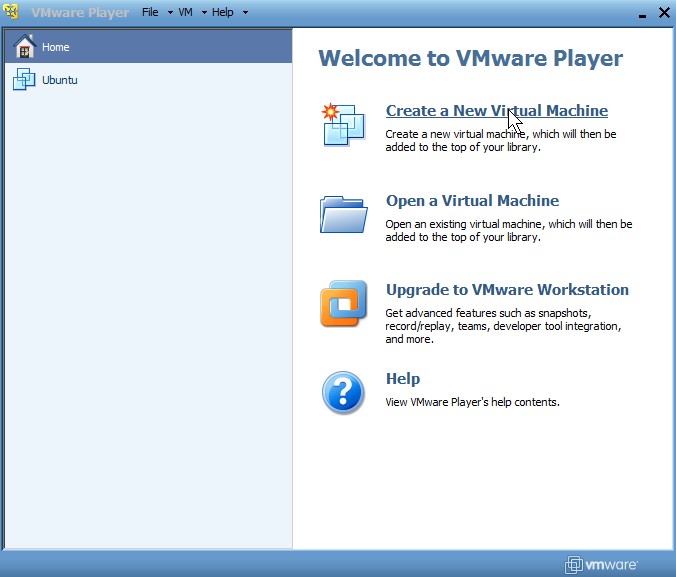
VMware released it’s latest VMware player which is free for users to use. It is a strip down version of VMware Workstation which is VMware paid virtualization software.
 The biggest improvement in VMware player is the ability to easily create VMware Virtual Machines from an Install CD, or an CD ISO image file that you can download online or make from a CD with an ISO maker like MagicISO. This feature was not available in previous version of VMware player. You can still download VMware virtual applications and run them in VMware player like older version.
What I like most about VMware player is that I can run Ubuntu 9.04 in Full Screen mode in a Virtual Machine which I can’t with Sun’s Virtual Box, or MS Virtual PC 2007 on my PC. VMware player runs decently on my computer which has a Intel Core2Dou 1.8 GHz CPU and 1GB of DDR2 RAM.  VMware player can also recognize my USB drives which Virtual PC and Virtual Box had trouble recognizing.Â
VMware player 3.0 is a great virtualization software for a home users who want to try to learn a Linux Distro like Ubuntu without making any physical changes to their hard drive by partitioning it for installing Ubuntu, so it saves the user time by not having the user backup their data, defrag their hard drive, and repartiton their drive or install a new one. VMware Virtaul machine drives are also easy to backup or delete if something goes wrong. Virtualization an Operating System is also good for running programs which you do not trust, or you don’t plan to use once a school course is over like Visual Studios. If it is installed on the virtual machine OS, it won’t affect your regular Windows OS because the virtual machine is in its own file.
What I dislike is it installed a few extra services in services.msc, and a startup entry in the startup tab of MSConfig. I give VMware.
I give VMware player 4.5/5 stars.
Tutorial on creating a virtual machine from a CD or Disk Image
Tagged as:
Linux,
operating system,
tutorial,
virtual pc,
virtualization,
VM,
vmware,
vmware player 3.0
by Johnson Yip
on November 22, 2009
in
Computer,
Computer Certifications,
Computer Tutorials,
Hardware Tutorials,
Microsoft Windows,
Operating Systems,
Peripherals & Accessories,
Software,
software tutorial,
System Utilities,
Tech Tutorials
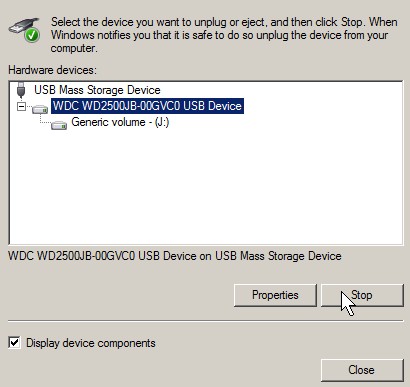
Learning how to safely remove your drives, MP3 players, video players, and storage devices  from your USB or firewire port is an essential skill to learn in Windows. It prevents your files from being corrupt because they are still open or still writing on your external drives. It only requires a few click of the mouse to prevent data corruption when removing a drive from your PC while it is on.
Learn to safely remove your USB Drive from Microsoft Windows
Tagged as:
external drive,
firewire,
safely remove hardware,
USB,
usb device,
usb drive,
windows