by Johnson Yip
on January 17, 2010
in
Computer,
Computer Tutorials,
Microsoft Windows,
Networking,
Online Internet Security,
Operating Systems,
Security,
Software,
software tutorial,
System Utilities,
Tech Tutorials,
Web Browsers
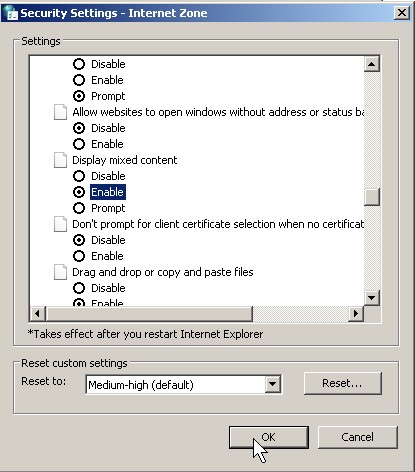
I notice that Internet Explorer 8 sometimes block images from showing when Gmail switch over to HTTPS for their webmail accounts. I also had similar problems with my ISP’s Shaw mail. It is an easy problem to fix by just going into Internet Explorer 8’s Internet Security settings.
Learn how to make HTTPS webmail services show pictures in IE 8 again
Tagged as:
e-mail,
https,
ie8,
internet explorer 8,
microsoft,
unblock pictures,
webmail,
windows
by Johnson Yip
on January 17, 2010
in
Computer,
Computer Tutorials,
Local PC security,
Microsoft Windows,
Online Internet Security,
Security,
Software,
software tutorial,
System Utilities,
Tech Tutorials,
Web Browsers
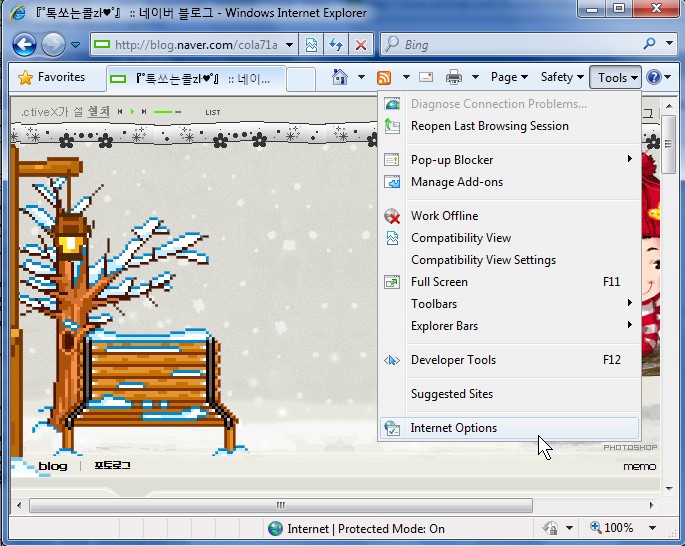
Sometimes you forgot the address to your friends website, or it is down. You need a file from his website. You might still be able to get the file if it is still in Internet Explorer’s Temporary folder. It is very easy to retrieve files from IE Temp directory. I will be using Internet Explorer 8 for this tutorial. It is even simpler to save a single website with IE 8.
Copying files from a temporary internet files folder or just a single website in Internet Explorer 8
Tagged as:
copy temporary internet files,
internet explorer 8,
save a website in IE,
temp folder,
windows
by Johnson Yip
on January 17, 2010
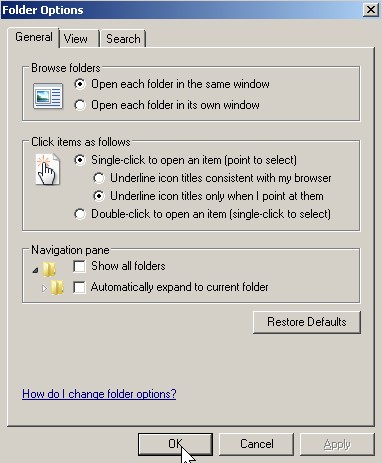
Adjusting your folder options can improve the performance of your computer, and make it easier to use since a lot of your time is spent in Windows Explorer looking inside of folders, and browsing inside drives looking for files.
Learn how to adjust your folder options in Windows 7
Tagged as:
file management,
folder options,
gui,
user interface,
windows 7