by Johnson Yip
on November 20, 2009
in
Computer,
Computer Certifications,
Computer Tutorials,
Hardware Tutorials,
Internal PC Parts,
Microsoft Windows,
Networking,
Operating Systems,
Software,
software tutorial,
System Utilities,
Tech Tutorials,
Windows Command lines

Command lines are very useful like ping, ipconfig, chkdsk, etc can help resolve a lot of problem with your computer. No additional software is needed to do this tutorial. In this tutorial, I will teach you how to speed up command line tasks by making a Windows Shortcut which launches, and types in the command line program for you which save you time by not having to go to Start> Run> Type CMD> Type command.
 All you have to do is make a short cut, type in” cmd /k the command” without the quotes in the shortcut path text box, and give a name.
You also might be interested in reading:
Make a Lock work station & Log off work station short cut in Windows Vista to save time
How to make a Shutdown, Sleep, Restart and Hibernate Desktop Short cuts for Windows Vista
 Tutorial for making command line Windows Short cuts
Tagged as:
cmd,
command line,
command prompt,
ms-dos,
short cut,
vista,
windows,
windows trouble shooting,
windows tweaks,
xp
by Johnson Yip
on November 19, 2009
in
Computer,
Computer Tutorials,
Microsoft Windows,
Operating Systems,
Pictures,
Software,
software tutorial,
System Utilities,
Tech Tutorials,
Videos, Sound & Picture programs
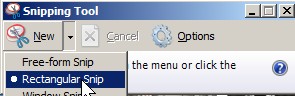
Windows Vista Home premium and above has a built in Screen capture program called “snipping tool”. It is a lot better then the print screen button because it has more features like pen, high lighter, eraser, active window, full snip, and rectangler snip and free form snip. It is quick, easy to use, and customizable. It also has a save option to save your screen capture as a picture file like JPEG, GIF, BMP, PNG, etc. This means you do not have to open up MS paint to paste your print screens from your clip board.
My favourite feature is the free form Snip since I can see it being useful for making custom pictures like this:
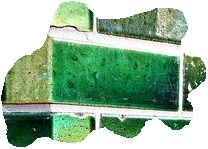
Free form Capture
You also might be interested in reading my article : Wisdomsoft ScreenHunter 5.1 Free is what I use to make screen shots/captures of my desktop and windows for my tutorials.
I like Wisdomsoft ScreenHunter more since it is more feature rich and faster.
Tutorial for installing and using Snipping tool in Windows Vista Home Premium and above
Tagged as:
Free Windows Vista built-in Screen Capture,
install,
screen capture,
Tablet PC snipping tool,
tutorial,
use
by Johnson Yip
on November 19, 2009
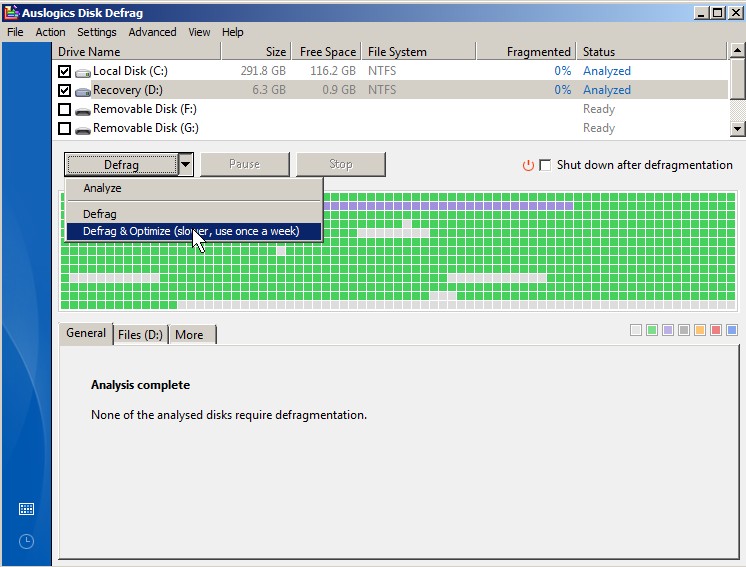
Auslogics Disk Defrag
Auslogics Free Disk Defragmentation utility is a fantastic program for defraging a hard drive, so files are contiguous which means they load faster. Auslogics Disk Defrag is light on system resources. I can check my e-mail while defraging my hard drive without much slow down. I notice the latest versi0n of Auslogics Disk Defrag has “Defrag & Optimize” option. After defraging my hard drive with the “Defrag and optimize” option it only took around 90 seconds to start up my computer which uses Windows Vista Home Premium as its OS and has a Intel CoreDou 1.8 Ghz CPU with 1 GB of DDR 2 RAM , and a 320GB Hard drive. It used to take me about two minutes to start up my computer. Programs and files also opened a lot faster, and my PC seems more responsive. What surprised me most is that Auslogics made my hard drive have 0% fragmentation which is great.
I give this product 5 out of 5 stars.
Auslogics Disk Defrag Homepage
tutorial on how to optimize your hard drive file placement with Auslogis Disk Defrag
Tagged as:
7,
Auslogics,
Free Disk Defrag version 3.1.0.65,
Hard Drives,
review,
speeding computers,
system utility,
tutorial,
vista,
windows,
xp