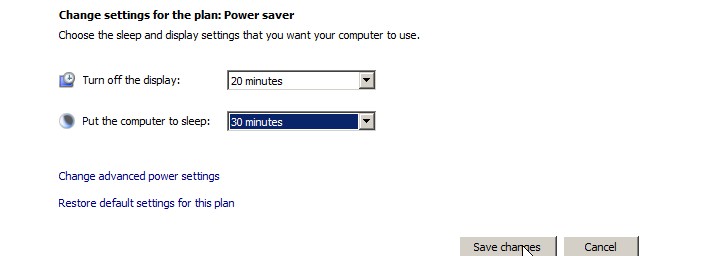
Windows Vista Power Management settings tell your computer when to turn off your display adapter,go to sleep hibernate, throttle down your PC. By optimizing your power management settings, you can have your computer run faster, or use less power which increase the battery life if you are using a laptop. It is very easy to optimize your power management settings to your needs. If you have your computer go to sleep after 30 minutes of not being used it can extend the life of your PC since your fans will not get clogged up with dust as soon, and there will be less wear and tear on your fans and hard drives since everything except for the RAM, keyboard and mouse is on an OFF state.
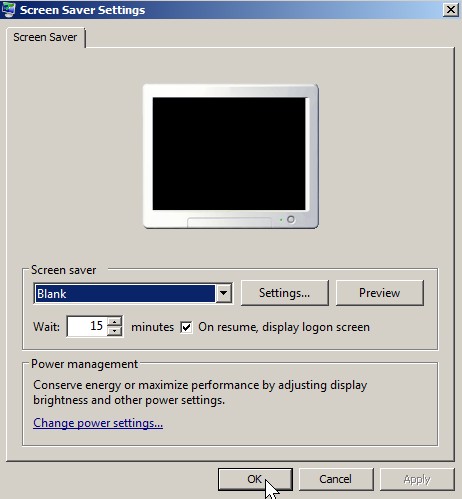
The Screen Saver not only prevents your old tube monitor from burning an image on your screen, but also protects your privacy when it is on because an animation the size of your screen blocks people from seeing what is on your screen. But, if someone types on your keyboard or move your mouse, your privacy is gone unless you set up your screen saver to bring you to your login screen before you can access your PC. What you need first is a password protected user account otherwise people can justleave the password text box blank and log in.
Google Chrome OS is an open source operating system for people who spend most of their time on the web built around the core tenets of speed, simplicity and security. http://www.chromium.orgÂ
googlechrome
This looks like a good OS for someone who does n0ot use their computer for much gaming, or multimedia editor like a customer at a local Internet Cafe.