by Johnson Yip
on November 25, 2009
in
Computer,
Computer Tutorials,
Linux,
Microsoft Windows,
Networking,
Operating Systems,
Software,
software tutorial,
System Utilities,
Tech Tutorials,
Ubuntu,
Virtualization
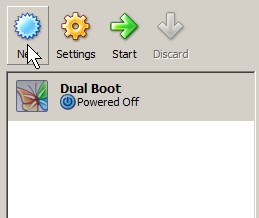
You downloaded a .vmdk file from the internet, but you learned VMware player can not play it. The best alternative is to play the virtual machine file with Sun’s Free VirtualBox virtualization program. However, you need to mount it in VirtualBox first.
Tutorial for mounting a VMware VMDK file in Sun VirtualBox
Tagged as:
mounting vmdk,
operating system,
sun,
sun virtualbox,
virtual drive,
virtualization,
vmware
by Johnson Yip
on November 25, 2009

WP Super Cache
By having a faster loading WordPress blog, your visitors will enjoy your blog more. They no longer have to wait a long time for your website to load up. Also, fewer Search engine robots will abandon your site because it takes too long to load.
I installed WP Super Cache on this blog, and my Website seems to load a little bit faster. The plugin generates HTML files, so Apache does not have to load heavy php scripts. It is also very easy to use, and customize. All you have to do is select on, and press the apply button.
WP Super Cache website http://ocaoimh.ie/wp-super-cache/
Tagged as:
cms,
plugin,
SEO,
super cache,
widget,
wordpress,
wp
by Johnson Yip
on November 24, 2009
in
Computer,
Computer Certifications,
Computer Tutorials,
Hardware Tutorials,
Internal PC Parts,
Microsoft Windows,
Operating Systems,
Software,
software tutorial,
System Utilities,
Tech Tutorials
PF9TE3RDWS4R
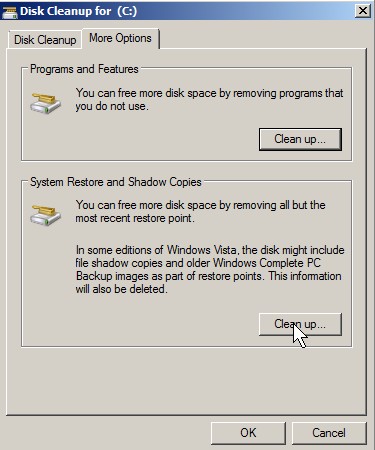
System Restore is a great function in Windows 2000 to Windows 7, but it can take up to 20% of your hard drive space which is a lot if you need to download a huge movie or a few Dual layer DVD ISO files. Disabling System restore is a very bad idea. If your Operating System breaks, you can’t roll back your system to an earlier date. But, if your computer has been working fine for a few days after a major update, or program installation like MS Office then it should delete all system restore except for the Newest one.
Tutorial for deleting older system restores and shadow copies
Tagged as:
delete,
delete system restores,
disk cleanup,
shadow copy,
space saving,
temporary files,
windows