by Johnson Yip
on December 3, 2009
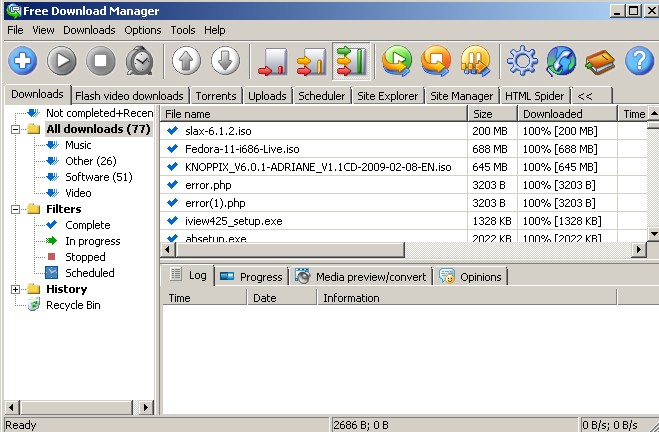
Are you tired of waiting hours for your files to download? I am, so I use Free Download Manager. FDM split downloaded files into sections, and download them at once. It can increase your download speed by 600%. It can also resume broken downloads.
All you have to do is install it on your computer, and everytime you download something. FDM will start up, and download it for you. If you don’t want to use FDM, you can just click the cancel button.
The user interface is also very nice and user friendlyÂ
Download it at freedownloadmanager.org
See FDM vs IE8 Download Manager and which one is fastest
Tagged as:
download manager,
downloads,
fdm,
free download manager,
speed up download speed
by Johnson Yip
on December 2, 2009
I found an annoying feature in WordPress 2.8 when I was browsing my upload folders. There are multiple versions of the same picture in my upload folder which is very annoying because I only use the file I uploaded, and not the images that are created automatically when I upload a new picture.
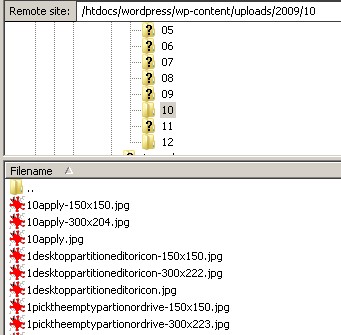
Multiple versions of the same images
Notice that there are some pictures that say 150×150 and 300×200 at the end before the extension. If you do not use the files which are created automatically when you upload a file then those files are just taking up space, and reducing your file limit on your web server if your hosting plan has a file number limit.
It is very easy to disable WordPress from automatically creating multiple sizes of the same image. No plugin for WP is required to stop WordPress from creating images of different sizes automatically.
Tutorial for how to stop wordpress from automatically making multiple sizes of the same image you uploaded
Tagged as:
Blog,
customization,
disable automatic file creation,
wordpress,
wp
by Johnson Yip
on December 2, 2009
I was updating phpBB3 when I ran into a small problem. My database was not up to date. I got this message:
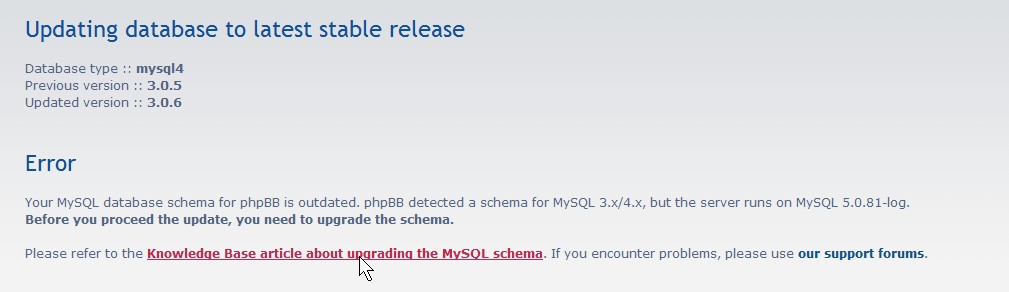
I clicked on the link on the update page and it led me to http://www.phpbb.com/kb/article/doesnt-have-a-default-value-errors/
See how I fixed this problem with phpBB3 database
Tagged as:
database,
db,
Forum,
latest stable release,
message board,
phpBB3,
phpmyadmin,
update