<<Back to Computer Repair + Web design Blog | Computer Topic Categories

Updating phpBB3 database to the latest stable release

I was updating phpBB3 when I ran into a small problem. My database was not up to date. I got this message:
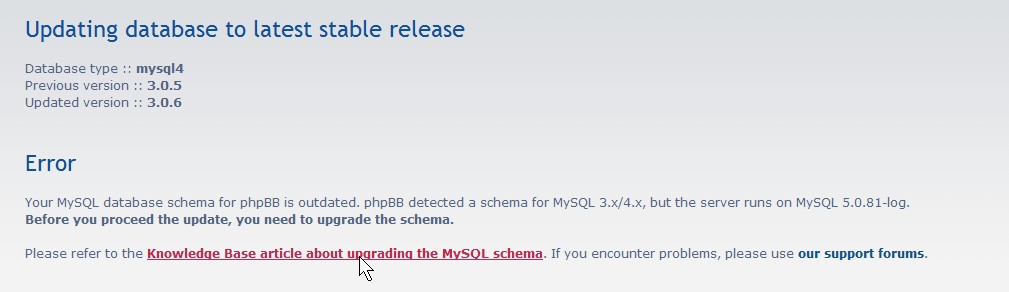
Database message

Database message

I clicked on the link on the update page and it led me to http://www.phpbb.com/kb/article/doesnt-have-a-default-value-errors/

I downloaded mysql_upgrader.php for my version of phpBB3 which is 3.05
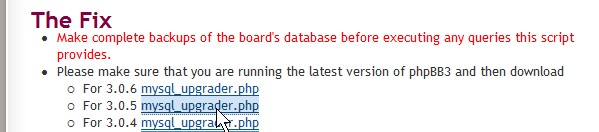
mysql_upgrader.php for 3.05

mysql_upgrader.php for 3.05

 I open the mysql_upgrader.php file with notepad, and deleted this line

die(“Please read the first lines of this script for instructions on how to enable it”);
and saved my file, and uploaded it to my root directory of phpbb.

All I had to do was visit example.com/mysql_upgrader.php

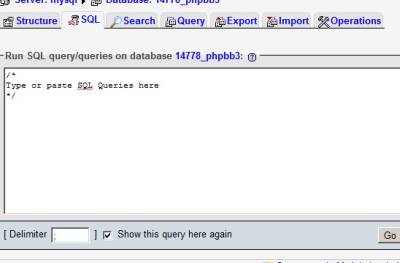
copy all the SQL code on the webpage, and run the code it in phpmyadmin

Lastly, I deleted the mysql_upgrader.php file and now I can continue my phpBB3 update from phpBB3 admin panel.


Share and Bookmark:
  • Digg
  • Yahoo! Buzz
  • Facebook
  • Twitter
  • StumbleUpon
  • Reddit
  • del.icio.us
  • Slashdot
  • FriendFeed
  • MisterWong
  • LinkedIn
  • NewsVine
  • Propeller
  • Google Bookmarks
  • Yahoo! Bookmarks
  • Add to favorites
  • RSS
  • email
  • PDF
  • Print

More Related Tech Posts:

About Johnson Yip

I graduated from Vancouver Community College's Information technology Specialist certificate program in 2008 and became Comptia A+ IT Enterprise technician certified in 2009. I volunteer at a non-profit Computer Recycler and Refurbisher called Free Geek Vancouver. My interest includes computers, gadgets, art, movies, food, television, blogging, forums, websites and Video games. Welcome to my blog on computer, hardware, software, web design, and cms help. Enjoy your stay!
This entry was posted in CMS mySQL Blog Forum, Forum, Website, phpBB3, phpmyadmin and tagged , , , , , , , . Bookmark the permalink.

Leave a Reply

Your email address will not be published. Required fields are marked *

*

You may use these HTML tags and attributes: <a href="" title=""> <abbr title=""> <acronym title=""> <b> <blockquote cite=""> <cite> <code> <del datetime=""> <em> <i> <q cite=""> <strike> <strong>

CommentLuv Enabled

Spam protection by WP Captcha-Free