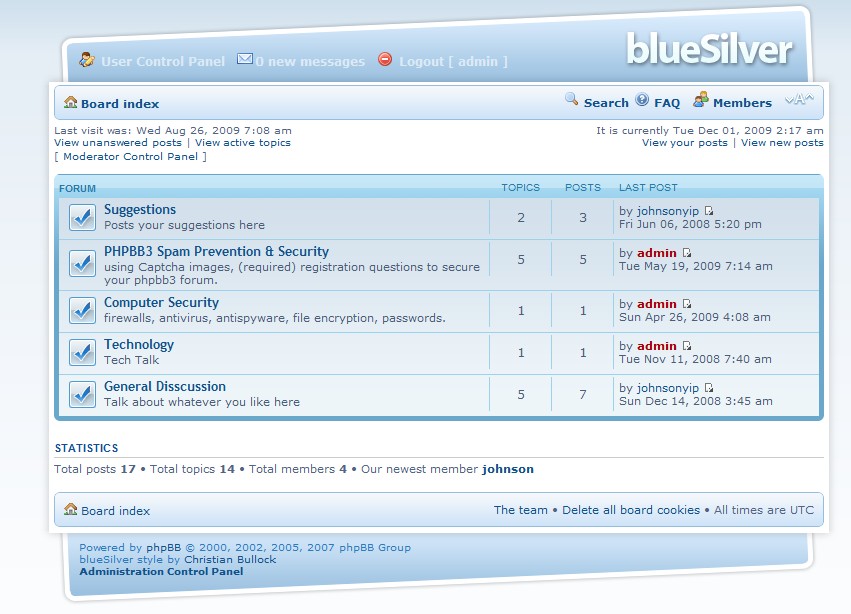
A template can really spice up your forum, and give it personality. Why settle for the default phpBB3 forum template? When it is so simple to install a new template in phpBB3 forum. More visitors will be interested in joining your forum if your template goes well with your forums topic. For example, if your forum is about Star craft RTS PC game then it will make the most sense to install a phpBB3 starcraft theme for it.
All you need is a FTP Client like Filezilla, FTP account, a phpBB3 Â template which you can usually get for free at free phpBB3 template websites, and a web browser.
phpbb3styles.net is an awesome site for downloading the latest and nicest phpBB3 templates to install on phpBB3.
Tutorial for how to install a phpBB3 template on your forum
1.upload your theme to phpBB3 styles directory found at the root of your phpBB3 folder
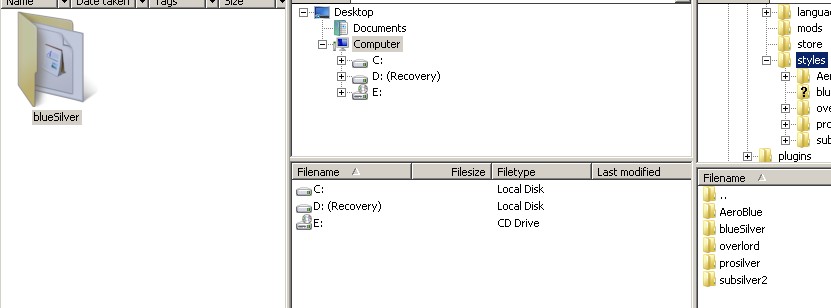
upload your theme to phpBB3 styles directory found at the root of your phpBB3 folder
2. Go to your admin panel stylzes tb and click install link on the theme you uploaded.
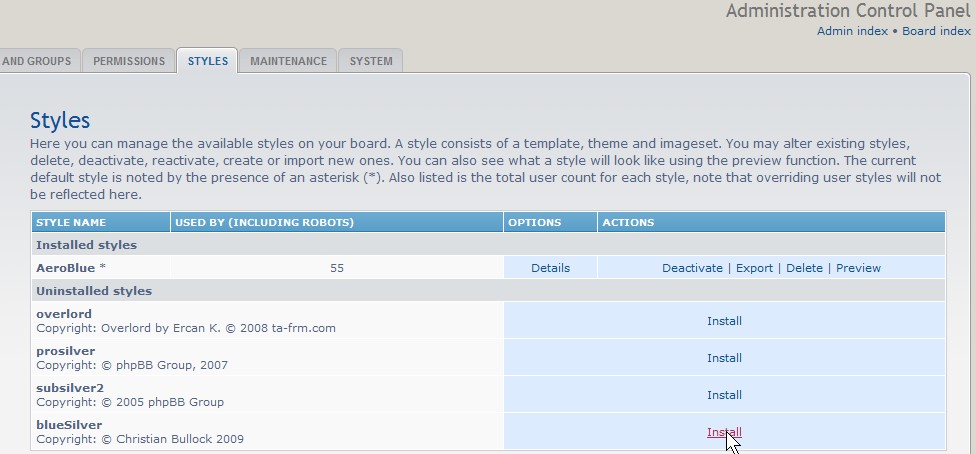
Go to your admin panel stylzes tb and click install link on the theme you uploaded
 3. Pick yes for active and default if you want to make the theme your boards default theme.
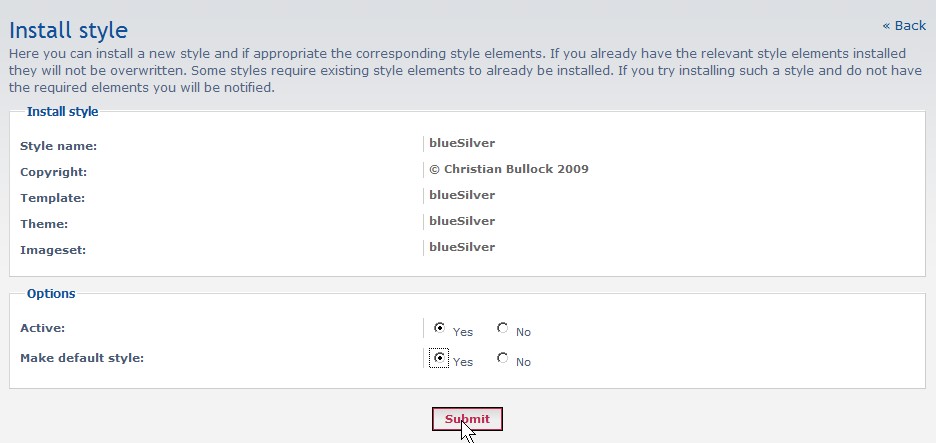
Pick yes for active and default if you want to make the theme your boards default theme
4. Go to your forum and check out your new theme to see if everything on your forums looks good.
Go to your forum and check out your new theme
Congratulations, now your forum looks great with a brand new template!
This really is this kind of great source you are giving and you also perform away at no cost. I enjoy discovering websites that will fully grasp the significance regarding supplying some sort of excellent useful resource at no cost. I really liked reading your site. Many thanks!
Thanks for the encouraging comment. I try to offer as much useful free content as I can since it might come in handy for someone who need to know how to do something.
I see you run an IT forum. That is awesome. There seems to be a lot of useful posts on there. Good luck with your forum!