by Johnson Yip
on January 13, 2010
in
Computer,
Computer Tutorials,
File Backup Imaging Recovery,
Hardware Tutorials,
Internal PC Parts,
Local PC security,
Microsoft Windows,
Operating Systems,
Peripherals & Accessories,
Security,
Software,
software tutorial,
System Utilities,
Tech Tutorials
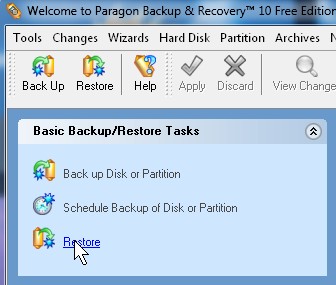
Click restore from left sidebar under basic backup/restore tools
You need to restore your image of your hard drive when your computer hard drive crashes. You have two options with Paragon Back up and Recovery 10 Free edition. You can use the boot disk, and follow the instructions after booting to the disk, or you can use the Wizard within Backup and recovery which is simpler, and more convenient to use. The Restore Wizard can also be used to restore selected folders and files.
Learn how to restore files and drives from a Paragon Backup and Recovery 10 Free Edition Image File
Tagged as:
back up,
cloning,
data security,
file recovery,
image,
pragon backup and recovery 10 free edition,
restore image file,
windows
by Johnson Yip
on January 13, 2010
in
Computer,
Computer Tutorials,
File Backup Imaging Recovery,
Hardware Tutorials,
Internal PC Parts,
Local PC security,
Microsoft Windows,
Operating Systems,
Peripherals & Accessories,
Security,
Software,
software tutorial,
System Utilities,
Tech Tutorials
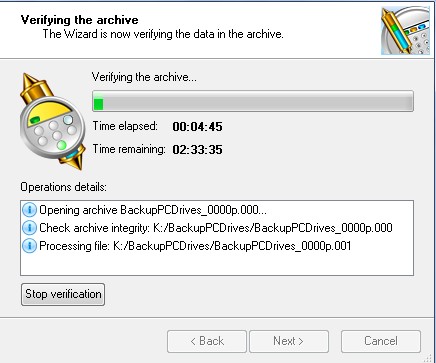
Learn how to verify integrity for your image file you made with Paragon Backup and recovery 10 free version, so you know it is not corrupt or won’t work when you need it most (drive failure, currupt windows, etc) since a broken image file is no good when trying to recover from a hard drive crash.
Learn how to Vertify integrity of image file made with Paragon Backup and recovery 10 free version
Tagged as:
backup,
cloning,
data security,
disk imaging,
image file,
Paragon Backup and Recovery 10 free version,
Verify integrity,
windows
by Johnson Yip
on January 13, 2010
in
Computer,
Computer Certifications,
Computer Tutorials,
File Backup Imaging Recovery,
Hardware Tutorials,
Internal PC Parts,
Local PC security,
Microsoft Windows,
Operating Systems,
Peripherals & Accessories,
Security,
Software,
software tutorial,
System Utilities,
Tech Tutorials,
Windows Command lines
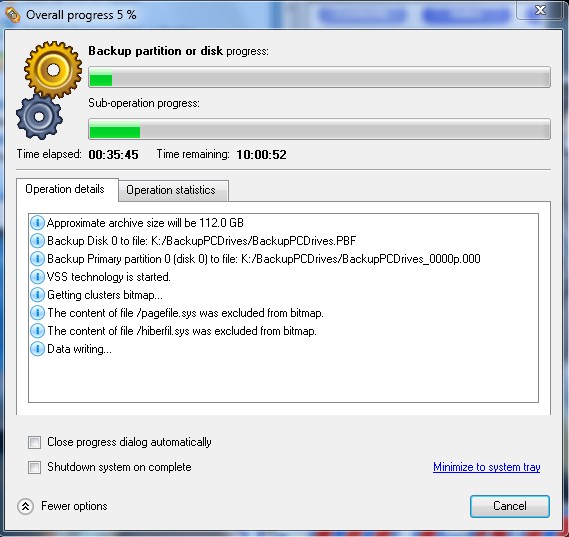
Your files on your computer are priceless, but you rather not pay for disk cloning software like Symantec Norton Ghost 15.0 (1 PC)  which cost $65.99 on Amazon. But, you still want to backup your entire drive a long with all the pre installed programs and operating system to a External hard drive like the Iomega Prestige 1 TB USB 2.0 External Hard Drive
  . If you are looking for a free disk imaging software, I recommend Paragon Backup and restore free version. It is simple to use, fast, and reliable. I backed up 140GB of data in less then a day.
You can download it at http://www.paragon-software.com/home/db-express/
Before you begin imaging your entire drive, you need another drive which has the same amount of free space as the used space on your hard drive or partition. For example, If you have 100 GB of used space on your computer hard drive then you need at least 200GB of free space on another hard drive preferably an external hard drive since if your computer becomes stolen, you can still recover your files, or the entire computer including the operating system if you use the same model of computer. If you do not have an extenal drive, you can still burn your image file to CD and DVD media, but if you lose one disk, your image won’t work. It also takes a long time if you choose to burn to CD or DVD media.
Learn how to image your computer hard drive and make a image restore boot disk
Tagged as:
back up,
cloning,
data security,
disk imaging,
image,
Paragon Backup and Recovery 10 free version,
restore,
windows