by Johnson Yip
on October 23, 2009
Make an exact clone of your Hard Drive with Clonezilla.
What is disk cloning?
Disk cloning is the task of copying all the contents and file structure of one drive on to a file to another new drive with disk cloning software like Clonzilla, and Norton Ghost. It is kind of similar to how you download a Compressed Zip file from a website, and you use 7-zip or WinZip to extract the file to your computer. The newly created folder contains all the files and file structure as the Zip file. A real world example of cloning is a photo copier. You copy a document and the photo copier save the image on the document to a file, and prints out the document on a new piece of paper. Disk cloning save you time because you do not have to redownload all your program files and install them since from the last disk image you copied all your files, Operating system, and settings to a disk image file. All you have to do is restore it from the disk image file with a disk cloning software. I recommend you test your image on a blank hard drive to see if it works before storing it in a safe place. It is also not recommended to the same computer or hard drive since what good is the image if it is stolen or your hard drive crash. It is an invaluable tool for most computer Technicians. It saves time, resources, and money since professional data recovery is time consuming, and expensive.
See the videos…by continue reading this post.
[continue reading…]
Tagged as:
clonezilla,
data recovery,
disk cloning,
free,
Linux,
livecd,
open source,
Software
by Johnson Yip
on October 21, 2009
in
Computer,
Computer Certifications,
Computer Tutorials,
Hardware Tutorials,
Internal PC Parts,
Linux,
Operating Systems,
Software,
software tutorial,
System Utilities,
Tech Tutorials
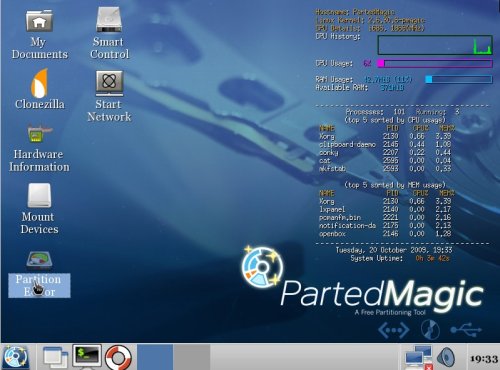
Parted magic is a Free Linux live CD Operating System that lets users easily graphically partition, format and re-size Windows or Linux Partitions on a hard drive. Parted Magic uses a partition program called Gparted. I will teach you how to create and format a partition on a new hard drive, and re size an existing partition. If you are resizing and repartitioning a drive partition, make sure to backup your files to a different hard drives, external drive, or CD -R & DVD-R since there is always a chance of losing data.
Hit the link below to learn how to partition your drive with Parted Magic
[continue reading…]
Tagged as:
disk,
format,
gparted,
graphically partition,
hard drive,
Linux,
parted magic,
resize
by Johnson Yip
on October 20, 2009
in
Computer,
Computer Certifications,
Computer Tutorials,
Hardware Tutorials,
Linux,
Local PC security,
Microsoft Windows,
Operating Systems,
Security,
Software,
software tutorial,
System Utilities,
Tech Tutorials,
Ubuntu
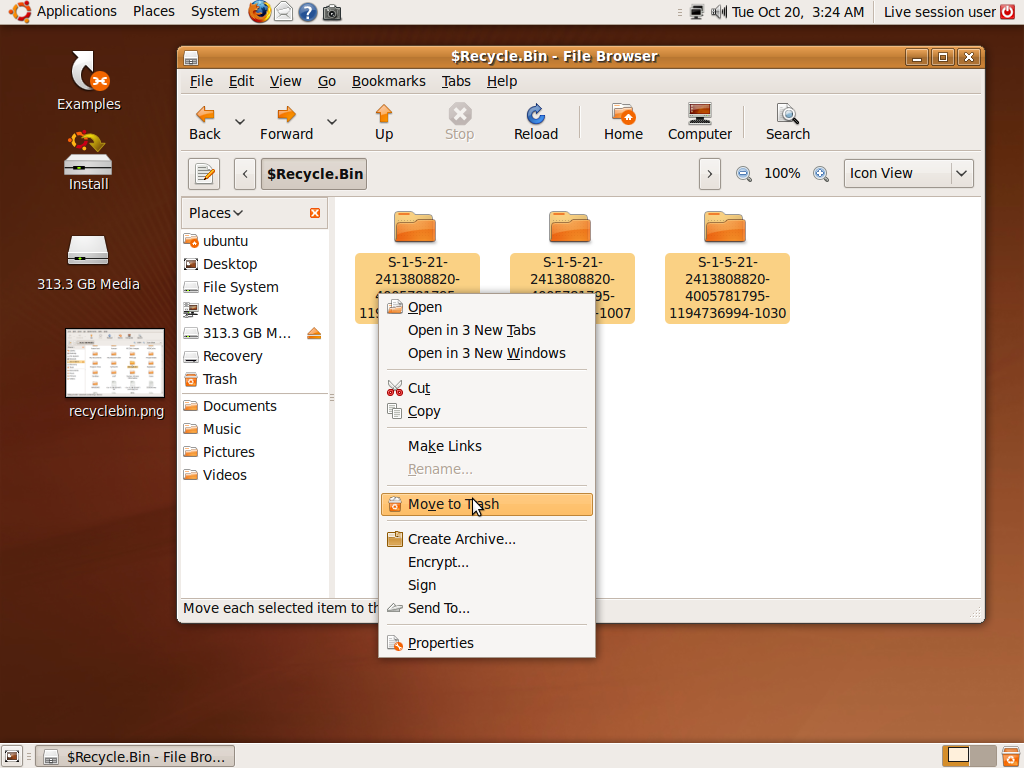
I notice sometimes that Windows does not delete all the files in my recycle bin because when I use a program called tree size  to see which folders take up the most space on my drive. It says my recycle bin has files in it, but when I open my recycle bin in Windows Explorer, it is empty. However, when I boot to Ubuntu 9.04 Live CD ,and open the $Recycle.Bin folder in C:\$Recycle.bin\ . It has folders in it with weird names like S-1-5-21-… that contains files in the folders, so I just delete the files and folder in $Recycle.Bin to get back valuable disk space by deleting unwanted files, and freeing space. The recyle bin is caller RECYCLER in XP and $Recycle.bin in vista.
Learn how to delete files from Windows recycle bin by clicking the link below.
[continue reading…]
Tagged as:
data destruction,
data security,
deleting files,
get back free space,
live cd,
recycle bin,
ubuntu,
ubuntu 9.04,
windows