by Johnson Yip
on November 23, 2009
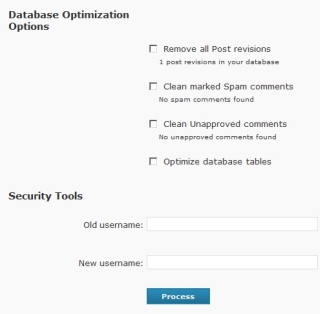
WP-Optimize database optimizer
Every time you make a change to your post, WordPress makes a revision which is not very necessary if you are the only author. The revisions take up space on your WordPress blog’s Database. WP-Optimize plugin help me remove 122 post revisions.
There is also a function to clean up all your spam, and unapproved blog comments which can save you a lot of time if your blog is very busy.
Read the rest of my Review on WP-Optimize
Tagged as:
database,
MySQL,
optimize tables,
phpmyadmin,
plugin,
SQL,
wordpress,
wp-optimize
by Johnson Yip
on November 23, 2009
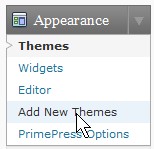
You found a nice WordPress theme while you are bored browsing the web on the library PC at school, but you forgot your FTP username and password, so you can’t upload the WordPress theme folder. Well, with WordPress 2.8, you can use its built in uploader and theme installer. All you need is login to your blog with an admin account Click 0on Add new themes, and upload and install the theme.
Tutorial for adding a new theme from within WordPress
Tagged as:
Blog,
plugin,
template,
theme,
WordPress,
wp
by Johnson Yip
on November 23, 2009
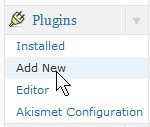
Sometimes you forgot your FTP servers password or user name because it is saved on your browser or FTP program like FileZilla on your home PC.  But, you want to install a plugin for WordPress on your blog. Well, you can login to your WordPress Blog and upload it with its built-in plugin upload program.
Tutorial for installing a plugin within WordPress without the need of an FTP account
Tagged as:
ftp,
plugin,
widget,
wordpress,
wordpress backend