by Johnson Yip
on December 7, 2009
in
Computer,
Computer Tutorials,
Linux,
Local PC security,
Microsoft Windows,
Operating Systems,
Security,
Software,
software tutorial,
System Utilities,
Tech Tutorials,
Ubuntu
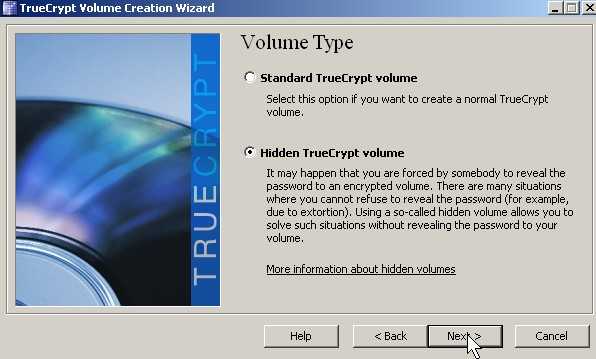
Have you ever been ask to reveal a password by a person who want to see what is inside your account? With TrueCrypt hidden volume feature, you can hide a file container within another password container. It is sort of like those magic tricks where there is nothing in a top hat, but the magician pulls out a bunny. When you show a decoy password drive it is empty or filled with non-sensitive files, but your sensitive data is only visible with a special password.
This is a lot more effective then enabling the hidden attribute for the file in windows explorer since it is not only hidden inside a file, but the hidden drive is also password protected.
Learn how to make a hidden volume inside of a password protected encrypted drive in TrueCrypt
Tagged as:
encrypt,
encrypt drive,
encryption,
hidden drive,
hidden volume,
local security,
password protected drive,
Security,
tc,
truecrypt
by Johnson Yip
on December 6, 2009
in
Computer,
Computer Tutorials,
Hardware Tutorials,
Internal PC Parts,
Linux,
Local PC security,
Microsoft Windows,
Operating Systems,
Peripherals & Accessories,
Security,
Software,
software tutorial,
System Utilities,
Tech Tutorials,
Ubuntu
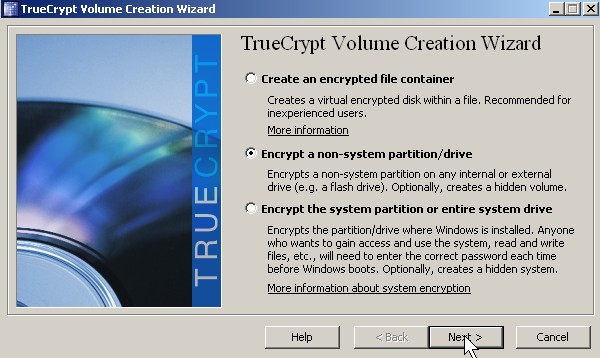
Do you have a USB Flash drive, external hard drive, or drive on your computer full of embarassing photos or videos which you would not to be made public online? If you do, then Truecrypt which is a free password drive encryption can help you. It has the option of encrypting and password protecting all your files on a drive.
Truecrypt’s Homepage
[continue reading…]
Tagged as:
encrypt,
encrypt drive,
encryption,
local security,
password protected drive,
Security,
tc,
truecrypt
by Johnson Yip
on December 6, 2009
in
Computer,
Computer Tutorials,
Linux,
Local PC security,
Microsoft Windows,
Operating Systems,
Security,
Software,
software tutorial,
System Utilities,
Tech Tutorials,
Ubuntu
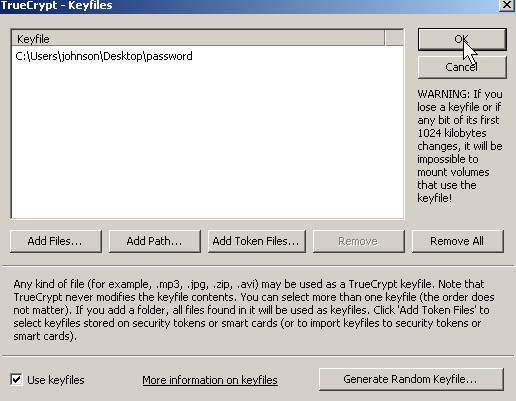
Truecrypt software drive/file encryption has an option to use key files to protect your data. Think of key files as a key to opening your files. Without a key file, you can’t open a password protected drive in TrueCrypt. If you combine a key file with a good password, the hacker have a more difficult time opening your files since he needs two things to open your file.
Download TrueCrypt at TrueCrypt.org
Learn to make and use a Key file in TrueCrypt to protect your files from hackers
Tagged as:
encrypt,
encryption,
key files,
local security,
password protected drive,
Security,
tc,
truecrypt