by Johnson Yip
on January 16, 2010
in
Computer,
Computer Tutorials,
Hardware Tutorials,
Internal PC Parts,
Microsoft Windows,
Operating Systems,
Peripherals & Accessories,
Software,
software tutorial,
System Utilities,
Tech Tutorials,
Windows Command lines
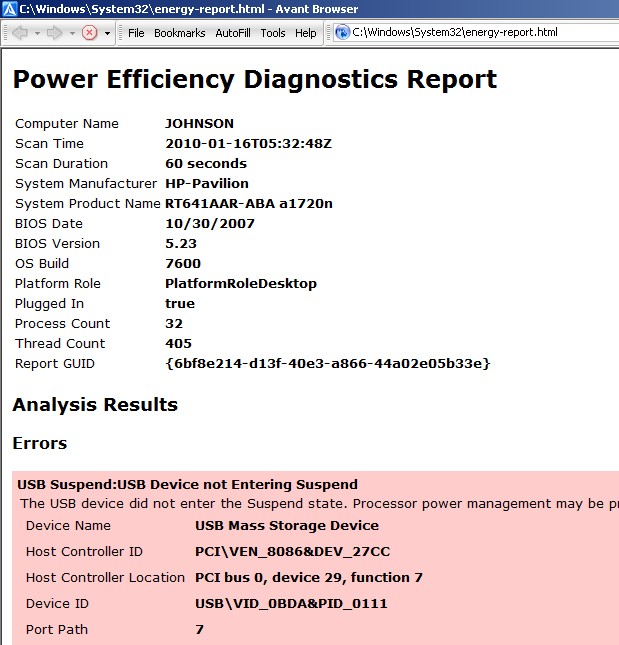
Windows 7 administrator Command prompt has a useful command line tool for finding ways to save energy when using your computer by adjusting your power configuration settings. The report generated by the command prompt program also gives you tips and information for saving energy.
Learn how to use the command prompt for saving energy while using your computer
Tagged as:
command line,
command prompt,
save energy,
windows,
windows 7
by Johnson Yip
on January 14, 2010
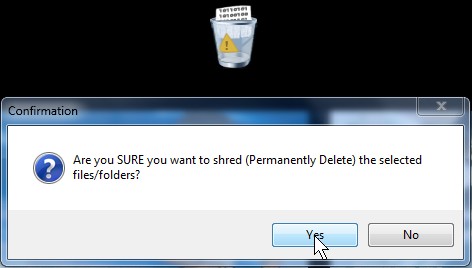
I found a very simple, and effective gadget for Windows 7 and Vista sidebar gadgets. It is called File Shredder which is a widget which runs on your desktop. It is simple to use and fast. All you do is drag your sensitive documents you do not need anymore to the shredder Gadgets and click yes for the confirmation pop-up window, and file shredder does all the hard work.
Download it at :: http://windows.microsoft.com/en-US/windows/downloads/personalize/gadgets (it seems Microsoft deleted the gadget, so I recommend you just use a File Shredder on another program like Advance System Care 5, etc)
You can even configure it to over write your files up to 10 times.
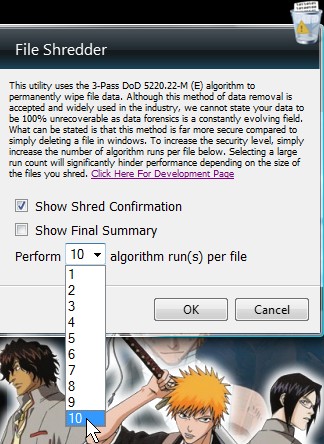
If you need a real file shredder for your paper documents get this one:: Sisco SC041BP Protector 4-Sheet Cross Cut Paper Shredder
Tagged as:
data security,
file shredder utility,
gadget,
Security,
sidebar,
widget,
windows 7,
windows Vista
by Johnson Yip
on January 14, 2010

Windows 7 taskbar makes good use of space, but if you are used to the labels on the taskbar like in Windows XP and don’t want to settle with the tiny buttons on Windows 7. You need to turn them on in Windows 7 task bar properties. It is very simple to do.
How to add labels to the buttons of opened programs in Windows 7 Task bar
Tagged as:
appearance,
gui,
microsoft,
show labels taskbar,
taskbar,
windows 7