by Johnson Yip
on October 1, 2010
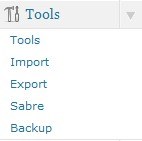 Backing up your database is a hassle, but necessary in case a hacker, you or your web hosting companies accidental deletes or breaks your database. Well, there is a plug-in for WordPress which makes it a lot easier to backup your WordPress with a click of a button. You can also set WordPress to send you a zip file with your database file in it.
I have been using WP-DB-Backup for a few months for backing up my core WordPress tables like Posts, links, tags, categories, pages, user names, etc and WordPress Plugin tables like Broken link checker, popular posts, etc.
It is very easy to use. You just have to install WP-DB Backup plug-in, and press the backup button to save my WordPress Database to my computer or e-mail it to my e-mail’s inbox.
Click Here to learn how to use WordPress Database File Backup Plug-in
Tagged as:
Blog,
MySQL,
wordpress,
wordpress database backup,
wordpress plug-ins
by Johnson Yip
on September 23, 2010

Is your Database size too big and it is reaching the MySQL limit for your web hosting plan? I notice some plug-ins I installed in the past uses up a lot of database space. Mostly plugins which keep logs and statistics on your blogs traffics like counters, or failed spambot registration attempts counter. Although, the logs are useful, but after a few months, it is rare you’ll look at them again. Some plug-ins has a clear logs button while others do not.
You can view the size of your database in phpmyadmin or with the WP-Optimize plug-in which is a great plug-in for optimizing and removing post revisions in WordPress from the WordPress administrative Dashboard.
Removing un-needed plug-ins like Broken Link Checker can increase your blog security and free a lot of free database space in your MySQL database. You no longer have to worry about a plug-in security vulnerability which a hacker may discover in the future, or is already discovered, but is still un-patch which can lead to your blog getting hacked by a security vulnerability a hacker found on your blog due to a plug-in. You also don’t have to worry about compatibility issues with a plug-ins messing up WordPress or its database when you update WordPress or your WordPress Plugins which happen to me in the past.
I also read replies on the WordPress.org forums that poorly made plug-ins can mess up your WP-options table in your WordPress blog which means your blog may become offline until you repair your database in phpmyadmin in your web hosting administrative control panel, or you may need to restore your database from backups if you have any.
More Free space in your WordPress MySQL database means more space for your posts and comments which is what truly matters for a blog.Â
Click here to learn more benefits from removing un-needed plug-ins, and how to remove wordpress plug-ins in wordpress to recover free space!
Tagged as:
database,
MySQL database,
phpmyadmin,
reduce size of MySQL database,
WordPress database too big,
WordPress plugins
by Johnson Yip
on September 21, 2010
 AddToAny is a plug-in which help readers on your WordPress blog easily share your articles on almost every popular social networking and webmail website.
AddToAny can help you get more traffic from social media sites like Digg, Facebook, and Twitter and many more. If your content is interesting to members on social media sites, people from social media sites, might become loyal readers and subscribers to your blog.
When your new readers who found your blog on social media websites read your articles, they might also use the share/save button to easily share and bookmarks the articles they like onto social media sites which will refer more visitors to your site. It is like a cycle as long as you post worthy articles, people will keep sharing your articles on social media websites, and referring more visitors to your blog.
Having a lot of backlinks from social media sites can also help you generate a lot of backlinks when people social bookmark your site, or decide to talk about your article on their blog, and link back to your original article which is good for search engine optimization since people and websites see your sites as a good source for information, so you might get higher search rankings when people search for your site on a search engine or directory.
AddToAny is so easy and fast to use, so you have a better chance of influencing your readers to help you distribute and share your content since it is almost effortless sharing links to your content via social bookmarking, and E-mail. All the reader have to do is click the share/save button, pick their favourite social bookmarking service, or e-mail service, and send your posts links to their social bookmarking profile or to their e-mail contacts instead of logging in to their services, copying and pasting your link on a social bookmarking service, writing a description, title, and clicking a link which can be time consuming vs the simplicity of the AddToAny Share/save button which is click, send, and share if your reader is already logged into Twitter, Digg, etc.
Click Here to learn how AddToAny Social Bookmarking Plug-in can improve your blog for you and your visitors!
Tagged as:
addtoany,
Search Engines Social Media,
SEO,
social bookmarking plug-in,
wordpress,
wordpress plug-in