by Johnson Yip
on December 2, 2009
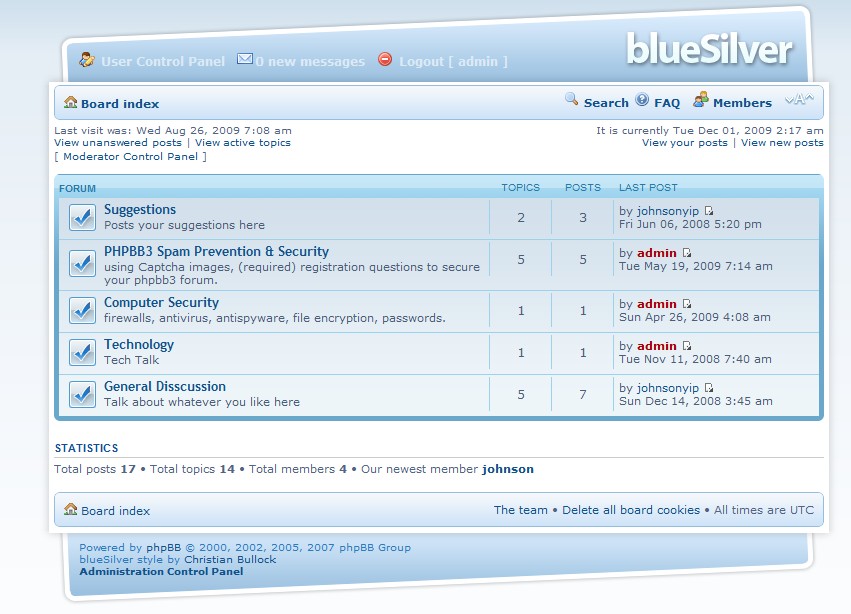
A template can really spice up your forum, and give it personality. Why settle for the default phpBB3 forum template? When it is so simple to install a new template in phpBB3 forum. More visitors will be interested in joining your forum if your template goes well with your forums topic. For example, if your forum is about Star craft RTS PC game then it will make the most sense to install a phpBB3 starcraft theme for it.
All you need is a FTP Client like Filezilla, FTP account, a phpBB3 Â template which you can usually get for free at free phpBB3 template websites, and a web browser.
phpbb3styles.net is an awesome site for downloading the latest and nicest phpBB3 templates to install on phpBB3.
Tutorial for how to install a phpBB3 template on your forum
Tagged as:
disscuision board,
Forum,
install,
message board,
phpBB3,
skin,
template,
theme
by Johnson Yip
on December 2, 2009

Updating phpBB3 is a very important step in keeping your forum secure, fast, and bug free. Updates can fix critical security holes in phpBB3 forum, improve the phpBB3 php files and phpBB3 database code by optimizing it. It can even improve the captcha code, so you have less spam bots on your forum.
You would need a FTP client like Filezilla, FTP account, web browser, and the phpBB3 update zip file from phpbb.com to update phpBB3 on your web server.
You should first backup your phpBB3 folder, and database on your web server.
Tutorial for updating phpbb3 to the latest version
Tagged as:
cms,
disscussion board,
Forum,
message board,
phpbb,
phpBB3,
Website
by Johnson Yip
on November 29, 2009
in
Computer,
Computer Tutorials,
Hardware Tutorials,
Linux,
Microsoft Windows,
Mobile,
Operating Systems,
Peripherals & Accessories,
Software,
software tutorial,
System Utilities,
Tech Tutorials,
Ubuntu
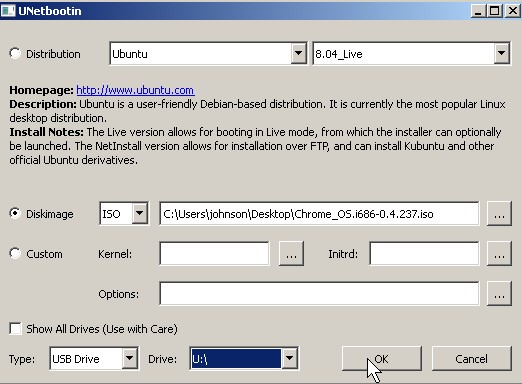
Are you tired of carrying around all those bulky Linux install CDs around? If you are, you can use a usb boot live drive maker program called UNetbootinwhich does not require you to install it on your PC, and it’s is only 4 MB in size to download. It can automatically download the ISO file you need to create a bootable live usb drive on a USB drive or your local hard drive. You can also use your own ISO files which you downloaded from the internet or made your self. It only requires a few click of the mouse to make a bootable usb drive. UNetboobin does all the hard tasks for you like extracting the files from your ISO CD image, and installing a boot loader on your drive. It is a great little program for making bootable live USB drive.
Tutorial on Making a USB startup OS install/Live drive in Windows or Linux with UNetBootin
Tagged as:
boot live usb drive,
drive,
Linux,
open source,
unetbootin,
USB,
windows