by Johnson Yip
on January 16, 2010
in
Computer,
Computer Tutorials,
Hardware Tutorials,
Internal PC Parts,
Microsoft Windows,
Operating Systems,
Peripherals & Accessories,
Software,
software tutorial,
System Utilities,
Tech Tutorials,
Windows Appearance tweaks
The new Control Panel in Windows 7 can be difficult for someone to use if they are used to the classic control panel from Windows 2000 and below. But, there is a way to switch to quickly switch to the Classic view of the control second in 1 second.
All you have to do is go to your control panel in Windows 7, and in the View by menu click “Large icon” from the drop down list.
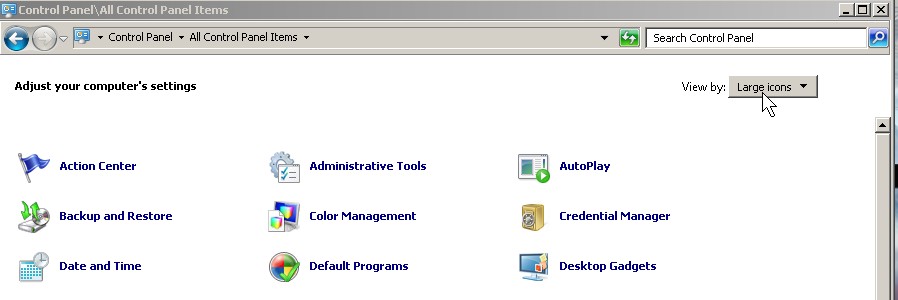
The only thing that is missing is the Sidebar which Microsoft did not include in Windows 7.
Tagged as:
administrative tasks,
classic control panel,
classic theme,
cpanel,
windows 7
by Johnson Yip
on January 16, 2010
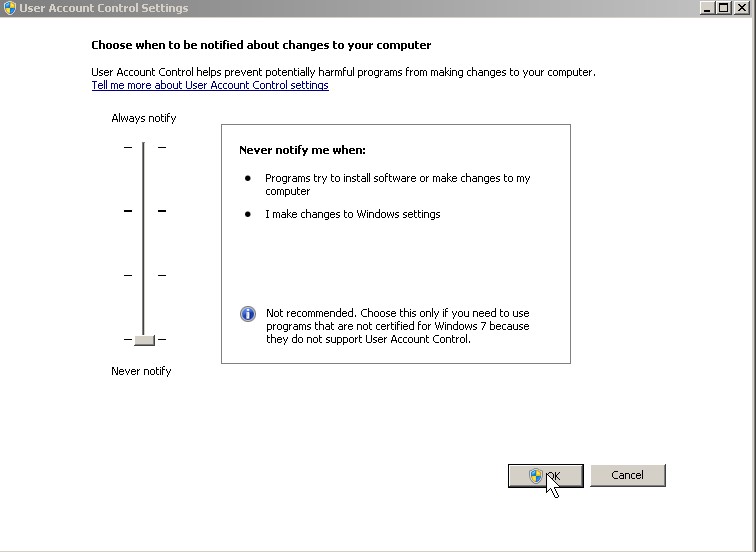
UAC pop-ups can be kind of annoying when you are doing maintenance on your computer like disk clean up,updating software, doing a virus scan, and changing settings, so if you hate those pop-ups you can disable them very easily with MSconfig.
Learn to disable UAC pop-ups with Windows 7 MSconfig
Tagged as:
(User Activated Controls),
Disabling UAC,
msconfig,
pop-ups in Windows 7,
UAC,
windows 7
by Johnson Yip
on January 16, 2010
xplorer2 Lite is an Windows Explorer File Management Alternative which resembles the Windows Explorer from Windows 2000 and Win 9x except it has a lot more features, and customization. It is also easy to use. I like how easy it is to add a new button and remove a button I barely use in the toolbar. The most useful tool on xplorer2 lite is the Shred button since it allows users to shred files, so they are harder to recover. I also like the status bar and the file menus better then the one in Vista or 7. Xplorer is also very stable. It never crashes when I use it.
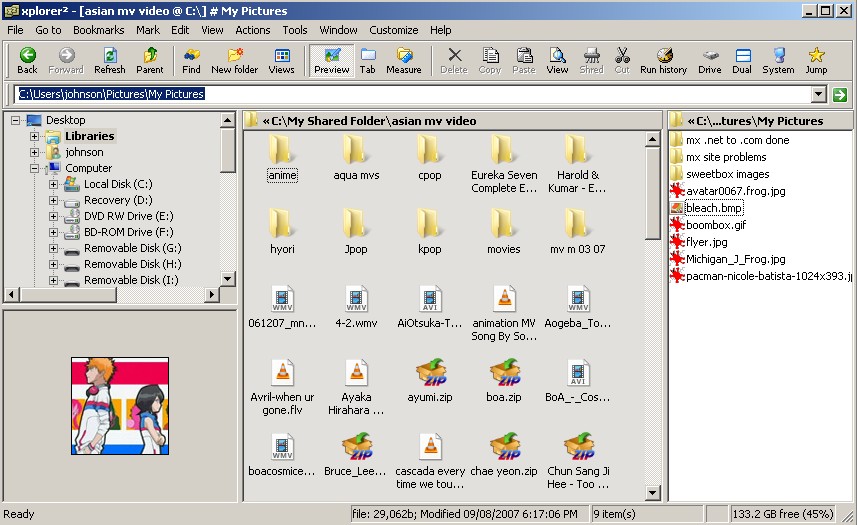
Download Xplorer2 lite at http://zabkat.com/x2lite.htm
Tagged as:
file management,
Free Windows Explorer File Management Alternative,
freeware,
review,
shareware,
windows explorer,
xplorer2 Lite