by Johnson Yip
on January 18, 2010
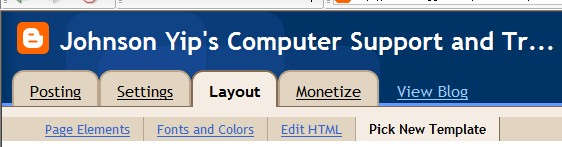
The default blogspot template is kind of boring since a lot of people use it. However, Blogspot provides a bunch of templates for you to change. All you need is a web browser to do this.
All you need to do is click on Layout, and click on pick a new template. If you are good at graphic design, HTML, fonts, colours, and page elements, you can customize your template even more.
Tagged as:
back end of blogger,
Blog,
Blogger/Blogspot,
blogspot,
cms,
switch templates,
themes
by Johnson Yip
on January 18, 2010
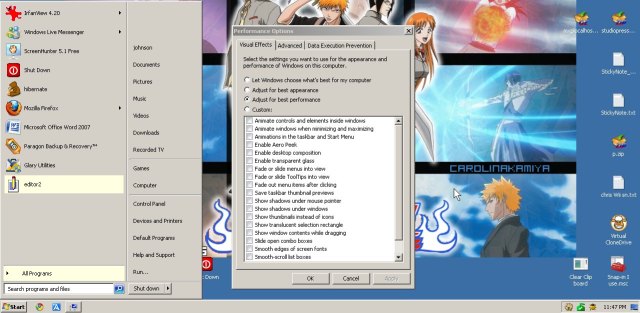
Windows Themes are a lot like songs. We keep using the classics and don’t want to use new age themes since they look too weird or unappealing like how I enjoy listening to classic anime themes from Spirited Away instead of Justin Timberlake – Sexy Back. lol
Would you rather be using the plain gray classic theme from Windows 2000Â and below instead of the Sleek and glass like theme of Aero for Windows 7? There are a few good reasons to stick with the classic theme. It uses less system resources as the Aero or XP like theme for Windows 7. It also uses less screen space/real estate compared to Windows Aero themes. It can be easier on the eyes if you are not used to glassy/glossy themes. The animations for Aero can also be kind of annoying if you are not used to animated Operating Systems.
Learn how to get your classic Windows 2000 theme back in Windows 7
Tagged as:
appearances,
classic theme,
gui,
microsoft,
themes,
user interface,
windows,
windows 7
by Johnson Yip
on January 17, 2010
in
Computer,
Computer Tutorials,
Hardware Tutorials,
Peripherals & Accessories,
Software,
software tutorial,
System Utilities,
Tech Tutorials,
Video,
Videos, Sound & Picture programs,
Web Browsers
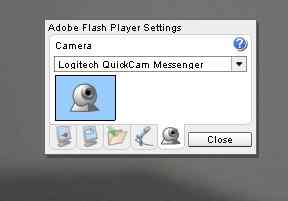
Learn how to adjust adobe flash settings for your webcam, so if you are having problems recording video on a website like facebook, etc you know where you can check to see if your webcam is blocked.
Adjusting Adobe Flash Player settings for webcams
Tagged as:
adjust settings adobe flash player,
webcam