≡ Menu
Right click the file menu bar and Check the options

The classic File Menu Bar in Windows Explorer is the menu bar in Windows Explorer which has drop down menus with headings like File, Edit, customize, etc. I notice after I upgraded to Windows 7. It is missing. The Menu Bar is very easy to get back.

Learn how to get the classic file menu bar back in Windows Explorer in Windows 7
0 comments
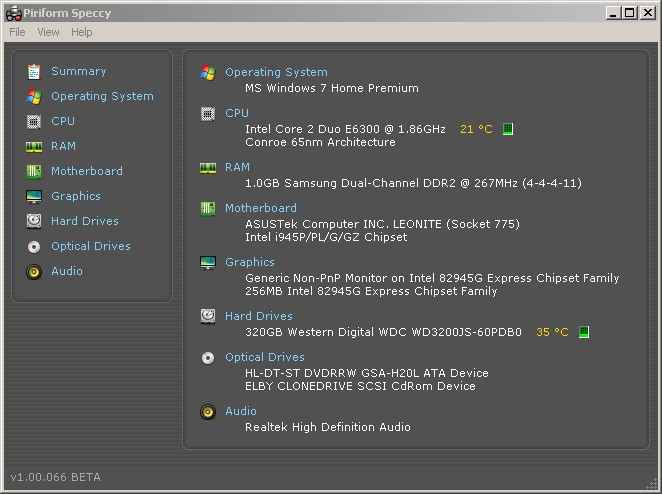
Speccy running on my PC

Piriform Speccy is a very easy to use free program for knowing what is inside of your PC. You no longer have to download multiple programs to see what kind of RAM, CPU, Hard drive, and motherboard you have on your PC. You can just download and install Speccy on your PC.

Click Here to learn more about how Speccy works

0 comments
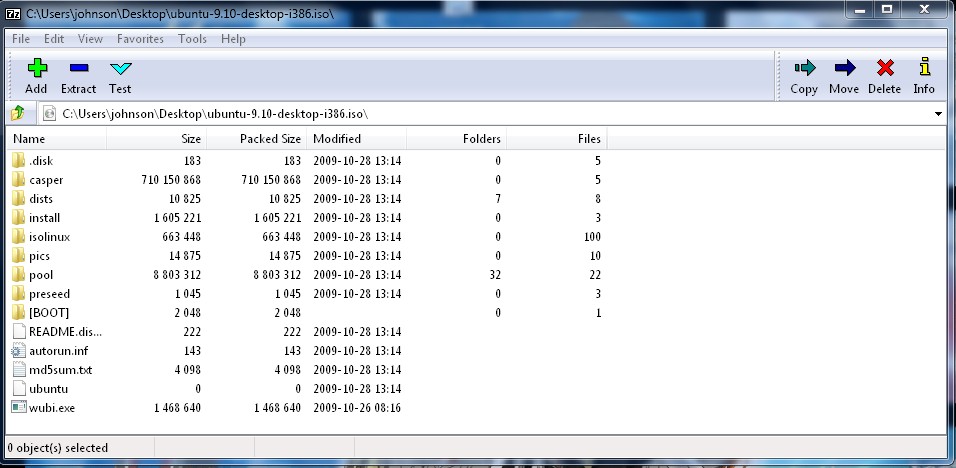
Type in your ISO location in the address bar in 7-Zip

Sometimes you want a file inside an ISO CD image, but you don’t want to burn the Image to the CD just to access one file. One solution to this problem is to open the ISO file with 7-Zip File Manager.

Learn how to extract/copy files from an ISO CD image with 7-zip File Manager

3 comments