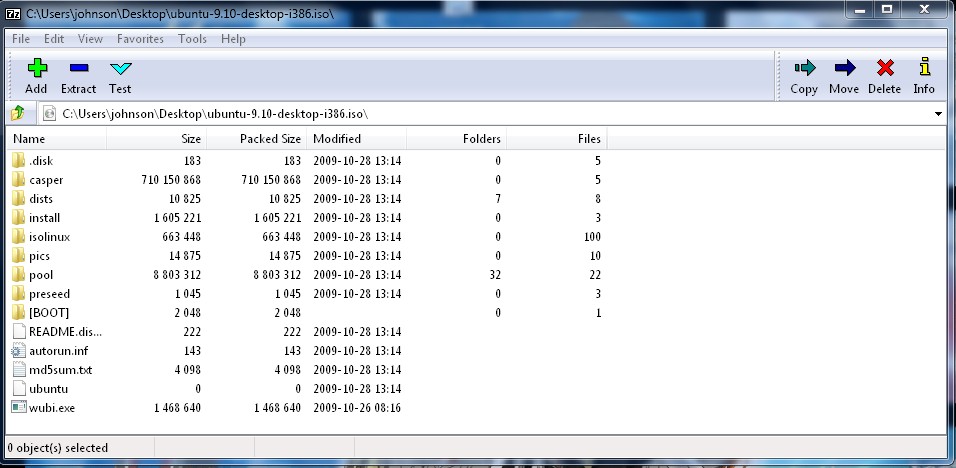
Sometimes you want a file inside an ISO CD image, but you don’t want to burn the Image to the CD just to access one file. One solution to this problem is to open the ISO file with 7-Zip File Manager.
Download 7-zip at http://www.7-zip.org/
1. Navigate to the ISO file with 7-zip, or type the path location for your CD ISO file on to the address textbox in the 7-Zip address bar like C:\cd.iso .
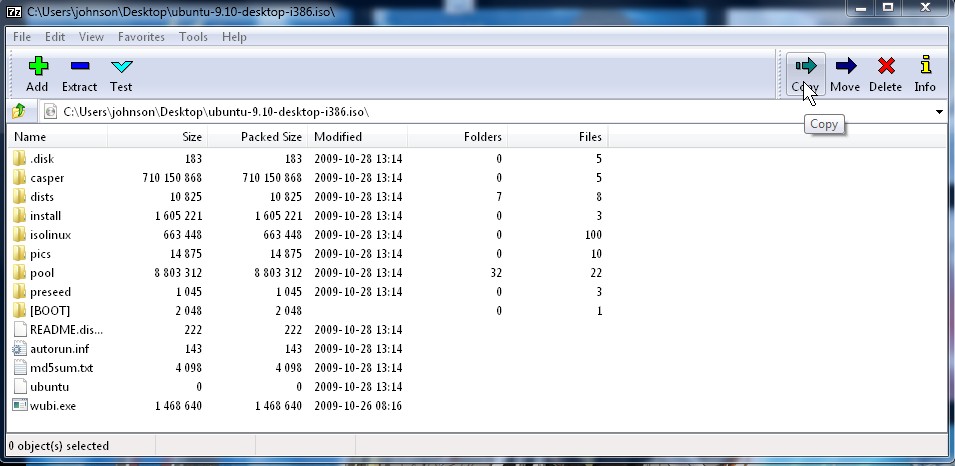
2. Click the Copy button on the top right corner.
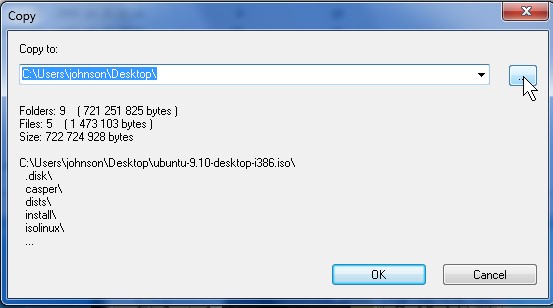
3. Pick a location to paste your files from the ISO to by clicking the “…” button.
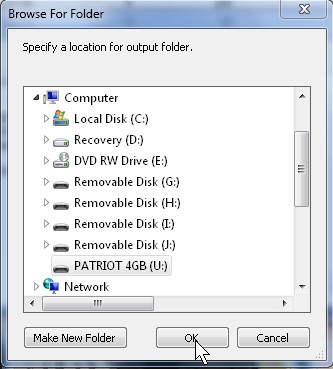
4. Click the locations and click OK.
5. Click OK on Copy Window.
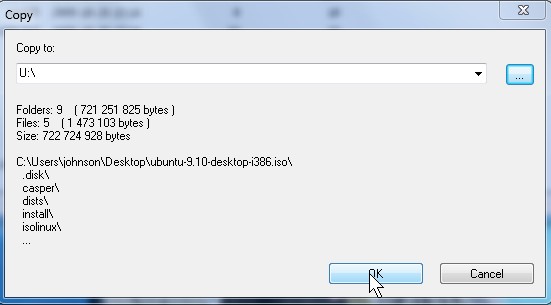
6. Wait, and open the folder or drive you copy the files to when copying is done.
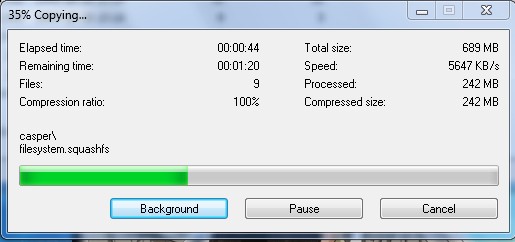
Congrats, now you know how to copy files from an ISO file without burning a CD.
FileVista is a web file manager for storing, managing and sharing files online through your web browser. It is a web based software which you install on your web server to fulfill web file management requirements of your company or organization. This web file manager allows your users to upload, download and organize any type of file with an intuitive user interface.
I don’t know what you guys use to rip music from CDs but I recently came across a great software. It’s definitely the easiest to use, and the music is excellent quality. http://www.smartcdripper.com
Thanks Carlos, I check out the CD ripper you link to. I normally use Windows Media Player, or CDex to rip music CDs.