Ubuntu Linux 12.04 LTS is a great operating system which can be start from a CD, USB drive, and can be installed on a hard drive. I like that it can be run from most older computers since the minimum requirements are low if your computer can run Windows Vista, or have a 1GHz CPU, 1GB of RAM, 10GB of hard drive space, and a video card, you can run Ubuntu pretty well.
You can try Ubuntu 12.04 LTS on a HP a1720n desktop out by starting it from a USB flash drive which you plug into your computer before turning on your computer by clicking ESC to launch its built-in start up manager. When the start-up manager loaded. To select your USB flash drive, use the up and down arrow keys on your keyboard, and press the enter key to start Ubuntu from the USB flash drive. When Ubuntu have loaded, you can pick Try Ubuntu or Install Ubuntu. I recommend trying Ubuntu before you install to see if everything works before installing. It also gives you a chance to back up your data on your hard drive before installing just in case you experience data lost during the install.
The Patriot Xporter XT Boost USB Drive was used for this tutorial because it is a fast, durable and reliable USB 2.0 flash drive which makes Ubuntu run faster on a flash drive because of faster Read speeds then lower quality USB 1.1-2.0 flash drives.
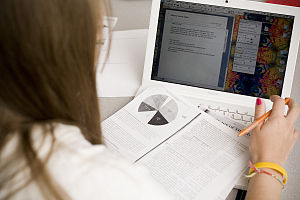
BCDS Student with Laptop (Photo credit: Wikipedia)
Technology is an important part of every classroom from elementary to graduate school. Laptops are a necessity for many students. However, parents and students that buy a machine will certainly want it to have recreational features, too. There are many quality laptops, but each student has different needs. Keep that in mind when making this investment.
Laptops for High School Students
Most parents will buy the first student laptop when their child reaches high school. A few common sense factors make this a good time to buy the first machine. More than anything, your student must be mature enough to take care of a portable device. He or she must understand how important it is to keep it secure and how to protect it from damage. As the bigger life responsibilities, such as driving, come into play, kids are old enough to own a laptop.
Since you’re investing in your child’s education, look for the following features:
Buy a quality brand so that it is reliable and durable
Make sure it has a large hard drive
Teenagers want a large screen and good speakers
Keep it as light as possible for easy transport
The programs will vary based on the school and personal needs, so quality is the most important factor when buying that new laptop. Although it’s for learning, you’ll have to give in to the fun. Kids love music and games, so big screens and good speakers are very important. The good news is that quality brands, with all the features, are available for a good price. [continue reading…]
I have been using the Cyber Acoustic Stick Mic for most of my basic voice recording, and voice chat for a few years, and it has been pretty reliable.
In this video, I show you the features, and performance of the Mic with a short audio clip at the end of the video. I mostly show how it looks, and how it is foldable to make it space saving.
It is also very easy to use because I just plug it into the pink 3.5mm microphone jack on the back or front of my computer, or laptop, and it works without the need to install drivers, and software for my Mic.
I like that it has an adjustable mic stick/shaft, so I can move it up or down depending on how I am sitting to the mic. Â I can also fold it flat when I am not using it, so it also saves me a little bit of space as well since it is easy to hide by folding it downwards.
There is also rubber feet on the bottom of the mic to keep it from moving around while I’m using it, and the base is big enough, so it won’t tip over easily.
There is also a on and off switch for privacy when you don’t want people listening to your mic. The on/off makes muting/turning off the mic a lot easier compared to going into the sound properties for Windows or Ubuntu to mute the Mic.
The Cable for the Mic is also pretty long, so even if I am using the mic on a big desk, or the computer is farther away from me, I can still plug it in to the pink 3.5mm headphone port.