Learn how to use the Windows 7 DVD to install or upgrade Microsoft  Windows 7 on your computer in Windows. It is a good video that is very informative. Win. 7 looks pretty easy to install or upgrade.
Screen Hunter 5.1 Free can capture the whole screen, a selected area, or the active window on the screen by just pressing F6 or Capture Now button on the program. It is also a very small program, and does not slow down my PC. It is also You can make it capture the mouse pointer or hide the mouse pointer in the screen caps. Screen Hunter also has a timer for taking screen caps. It also automatically save your screen caps to your desktop and autonames your files. You can set Screen Hunter to save your screen captures as JPEG, Gif, or BMP image files.
Using Screen Hunter 5.1 is more convenient then using the “Print Screen” button on the keyboard.
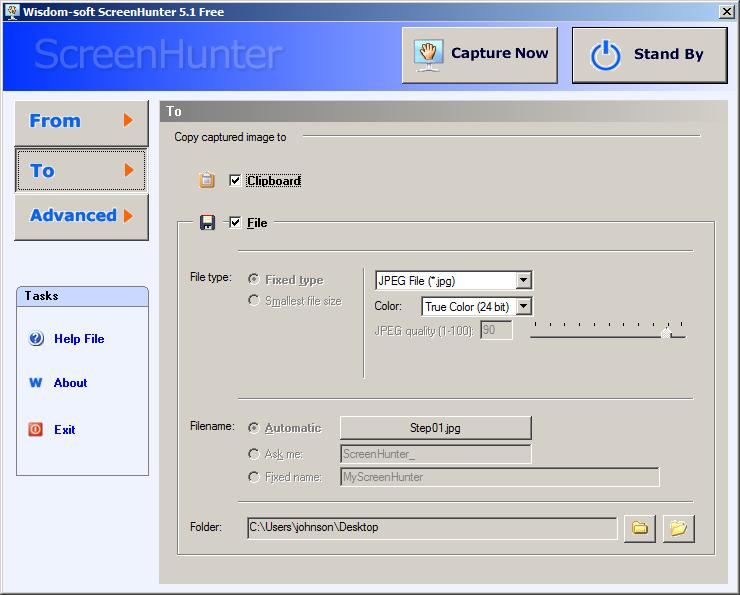
ScreenHunter 5.1 Free
 Download it at the Free Programs section at  http://wisdom-soft.com/downloads/downloadfiles.htm
When making a screenshot be sure to disable the timer by unchecking it, or your screen shot thing will be delayed by 5 seconds or more unless you want the screen shot to go off after a certain amount of time.

Windows Update hide tweak
Learn how to hide unwanted updates for Windows Vista with a few mouse clicks. Sometimes I notice Windows Vista tell me to update drivers for hardware or software that I no longer have installed on my PC. It can get very annoying especially during shutdown when Vista tells me to “install updates and shutdown when there is nothing to install that will be useful for my computer. I found a way to hide the updates, so I no longer get the useless messages.
1. Go to Windows update on the start menu and  check for updates, and right click the updates you want to hide, and pick hide updates.