by Johnson Yip
on January 12, 2010
You need to make a directory or folder in Windows to copy all your files to another drive, but Windows Explorer is not starting. You need to boot to the command prompt to make a directory.
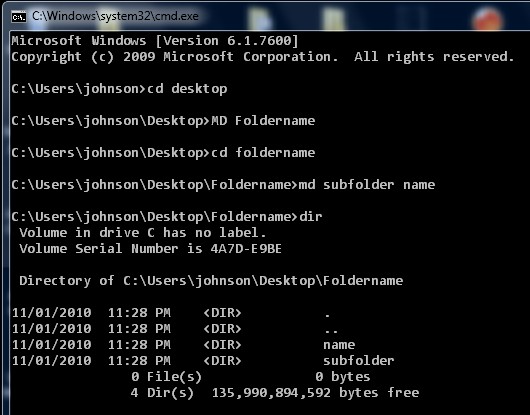
Browse to the folder or drive you want to make the directory in, and type MD foldername if you need to make more then one folder type MD foldername1 foldername2 press enter.
Tagged as:
cmd,
command prompt,
make directory,
md,
microsoft,
ms-dos,
new folder,
windows
by Johnson Yip
on January 12, 2010
Sometimes you need to remove a folder, but the delete button in Windows does not work, so you need to use MS-DOS also called the Command prompt to delete a folder.
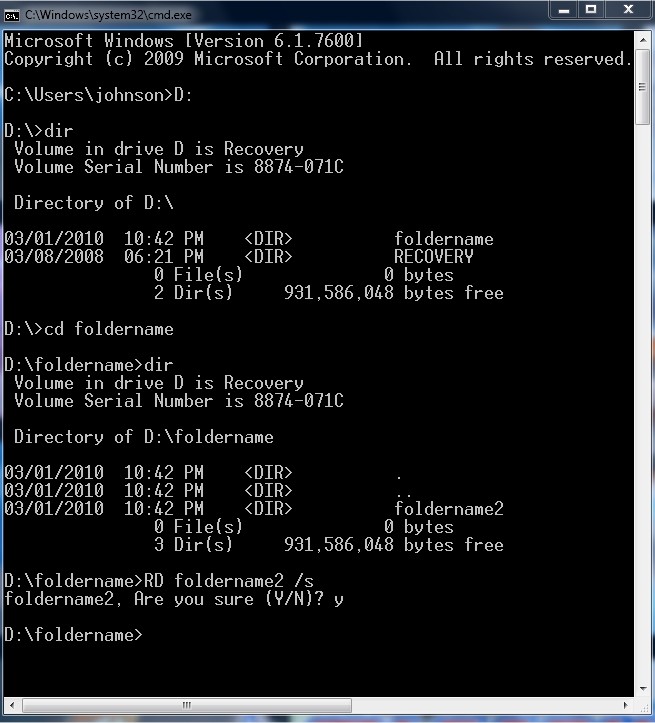
All you have to do is browse to your drive then the folder your file is located in by doing a series of CD and DIR commands. You start CMD by going to Start> Run and typing CMD, and pressing enter.
When you found the directory you want to delete. You type RD FolderName /s press enter
and type Y then press enter.
Tagged as:
cmd.exe,
command prompt,
delete folder,
ms-dos,
RD,
Remove directory,
windows
by Johnson Yip
on January 12, 2010
in
Computer,
Computer Certifications,
Computer Tutorials,
Hardware Tutorials,
Internal PC Parts,
Microsoft Windows,
Networking,
Operating Systems,
Peripherals & Accessories,
Software,
software tutorial,
System Utilities,
Tech Tutorials
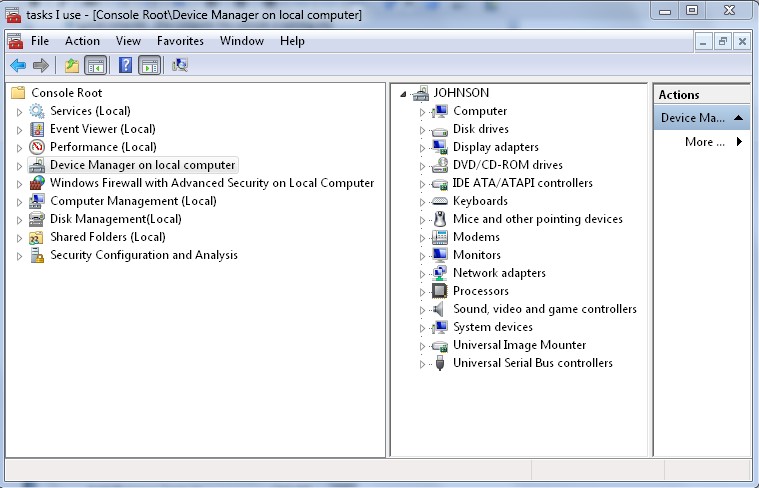
Windows has a program called Microsoft Management Console (MMC) which is a tool you can use to easily access all your most common administrative programs you use like Services.msc, Event viewer, performance monitor, device manager, Windows Firewall, Computer Management, Disk Management, Shared Folders, and more program. This can save you time by not having to look up how to access all these programs. All you have to do is open your custom console with a .msc extension to access all the programs you normally use to maintain and administrate Windows.
Learn how to make a customize console in Microsoft Management Console MMC
Tagged as:
administrative tasks,
administrator,
Microsoft Management Console,
MMC,
snap-ins,
windows