by Johnson Yip
on October 6, 2009
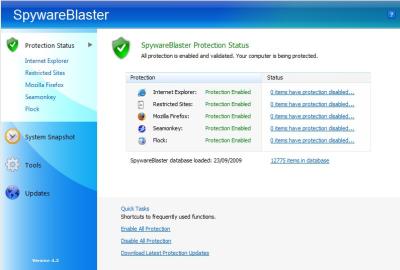
- Spywareblaster
SpywareBlaster is very easy to use. All you have to do is install it, regularly check for updates, and enable the new updates by pressing an Enable All link. SpywareBlaster blocks activex that contain spyware, and unwanted programs from installing themselves on your browser. The updates are also very small in size and only uses a few KiloBytes of space. It use no system resources since it works with the program for preventing spyware. It also have tools for backing up important system settings and files.
Download it at http://www.javacoolsoftware.com/spywareblaster.html
Tagged as:
Free anti-spyware prevention tool,
review,
SpywareBlaster 4.2
by Johnson Yip
on October 6, 2009
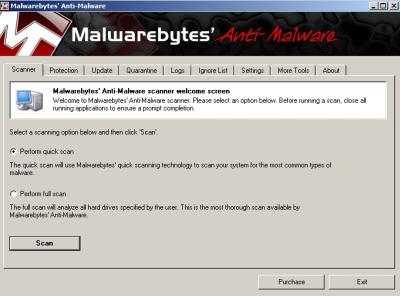
- Malwarebytes Anti-malware
Malwarebytes is an easy to use, fast, and effective malware/spyware removal tool. The free version works very well, but lacks active malware protection which means you can only scan for malware and manually remove it with the program. It takes less then 6 minutes to finish a quick scan on a computer with 1.8GHZ Intel Core2Dou Dualcore CPU, and 1GB of RAM running Windows Vista Home Premium.  and It found 8 malware registry keys on my system, and remove them all. It also quarantines the files just in case it accidentally deletes a good file. You can always restore it. Updating Malwarebytes to the latest malware definitions/signatures is very easy and fast. It takes less then a minute and does not require the user restart their computer to install the updates. It also comes with FileAssassin which allows you to delete locked files on your system. I been using it for half a year or more and been very pleased with it.
Download or purchase the full version for under 30 dollars at http://www.malwarebytes.org

Tagged as:
free anti-malware scanner,
malware,
Malwarebytes 1.41,
review
by Johnson Yip
on October 6, 2009
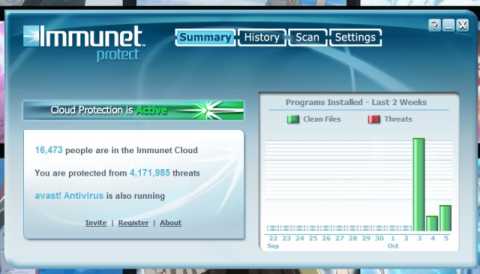
Immunet
Immunet 1.0.17 is easy to install and use. It protects users’ computer from over 4 million security threats. Immunet claims that it will protect users from thousands of new threats created everyday by collecting security data from all its users to help improve the effectiveness of the anti-virus. Which means the more people that use Immunet, the better the product will be, so tell your friends and family  about Immunet, and convince them to install it on their PC, so they can contribute, and benefit from Immunet Cloud antivirus. The scan takes less then 30 seconds on a modest computer with a Intel Core2Dou 1.8 GHZ dual core CPU with 1GB of DDR2 RAM using Windows Vista Home Premium. It is easy to review the virus scan results for Immunet. It also tells you that your main anti-virus like Avast is also running. You do not have to uninstall your current Anti-virus to use Immunet. Immunet works with your current anti-virus to protect your PC which means two Anti-viruses are protecting your PC from viruses. The settings have very detailed descriptions and the settings are easy to change to your needs. Immunet also uses very little system resources, so my computer is not slowed down when running Immunet in the background.  The user interface is also very nice. There are no daily updates to install, and users are protectected from the latest threats in real time which save users a lot of time. Best of all, Immunet is free for users to use which means you would not waste any money if you do not like Immunet. It is also very easy to uninstall with a click of the button.
Check Immunet out at Immunet.com for more information. Also, check out their Wiki .
UPDATE: November 14, 2009
I decided to uninstall Immunet. It was very slow and difficult to do in Windows Vista Home Premium. I had to boot into Windows Safe mode by restarting my PC while pressing F8, and picking safe mode, and using Immunet built in uninstaller. I uninstalled if because I did not really feel the need for two anti-viruses and MS Security Essentials works pretty well on my laptop, and Avast works great on my Desktop PC.
Tagged as:
antivirus,
Cloud Computing,
free anti virus,
Immunet,
malware,
Security,
spyware,
virus